Your Ad Here
Showing posts with label Magento functios. Show all posts

Wednesday, October 15, 2014

How to change magento admin password through phpmyadmin ?


It seems like the password must be typed and not copy/paste at least on the install part. good to know ;o)

The default login is : admin The default password is : 123123
If you are having troubles and want to reset it to a different password, just run at your sql database:
  1. SELECT * FROM admin_user;
Then, find the username you want to modify in the listing provided - ‘admin’ in this example. Then, to update the password, type:
  1. UPDATE admin_user SET password=CONCAT(MD5('qXpassword'), ':qX') WHERE username='admin';
‘qX’ would be changed to whatever you want it to be and same goes for ‘password’
You can also do this in phpMyAdmin, find the admin_user field and choose MD5 when updating password.
If you want to add a new admin user, you must not only create a new entry in the table ‘admin_user’, but you also have to insert an entry in the table ‘admin_role’ which has to be associated with the user by the field ‘user_id’.  

Thursday, May 29, 2014

How to get url of a category or product in magento .phtml file

For category url by category ID:

<?php echo Mage::getModel("catalog/category")->load(5)->getUrl() ?>


To load products of a specific category:

<?php                       
$cat_id 
8// set desired category id$category Mage::getModel('catalog/category')->load($cat_id);$products $category->getProductCollection()->addCategoryFilter($category)->addAttributeToSelect('*');?>
<?php 
foreach ( $products as $_product ): ?>
    
<a href="<?php echo $_product->getProductUrl() ?>"><img src="<?php echo $this->helper('catalog/image')->init($_product, 'small_image')->resize(135, 135); ?>" width="135" height="135" title="<?php echo $_product->getName() ?>" alt="<?php echo $_product->getName() ?>" /></a>
<?php endforeach; ?> 

Retrieve current product, category and CMS page in Magento

Here are the quick snippet scripts for pulling out the current product, category and cms page from inside script or template files in Magento.

Get Current category

$_category = Mage::registry('current_category');


Get Current Product

$_product = Mage::registry('current_product');

Get Gurrent CMS Page

$_cmspage = Mage::registry('cms_page')

Thursday, May 22, 2014

how to get skin url, get media url, get base url, get store url in magento

Magento Mage Core, Admin Static Blocks, or Phtml edits are usually includes getting url path such images, javascript, base url, media and store url. There are different ways to retrieve mentioned URL paths depending on where section you’re editing.

To Retrieve URL path in STATIC BLOCK
To get SKIN URL

{{skin url='images/sampleimage.jpg'}}

To get Media URL

{{media url='/sampleimage.jpg'}}

To get Store URL

{{store url='mypage.html'}}

To get Base URL

{{base url='yourstore/mypage.html'}}

TO Retrieve URL path in PHTML

Note: In editing PHTML don't forget to enclode the following code with PHP tag Not secure Skin URL:
<?php echo $this->getSkinUrl('images/sampleimage.jpg') ?>

Secure Skin URL

<?php echo $this->getSkinUrl('images/ sampleimage.gif', array('_secure'=>true)) ?>

Get  Current URL

$current_url = Mage::helper('core/url')->getCurrentUrl();

Get Home URL

$home_url = Mage::helper('core/url')->getHomeUrl();

Get Magento Media Url

Mage::getBaseUrl(Mage_Core_Model_Store::URL_TYPE_LINK);

Get Magento Media Url

Mage::getBaseUrl(Mage_Core_Model_Store::URL_TYPE_MEDIA);

Get Magento Skin Url

Mage::getBaseUrl(Mage_Core_Model_Store::URL_TYPE_SKIN);

Get Magento Store Url

Mage::getBaseUrl(Mage_Core_Model_Store::URL_TYPE_WEB);

Get Magento Js Url

Mage::getBaseUrl(Mage_Core_Model_Store::URL_TYPE_JS);

Tuesday, December 24, 2013

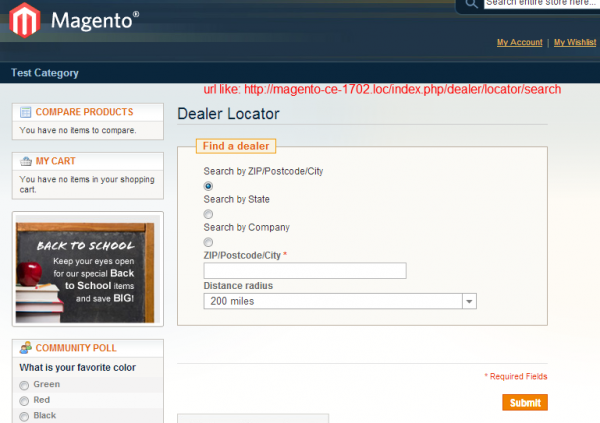
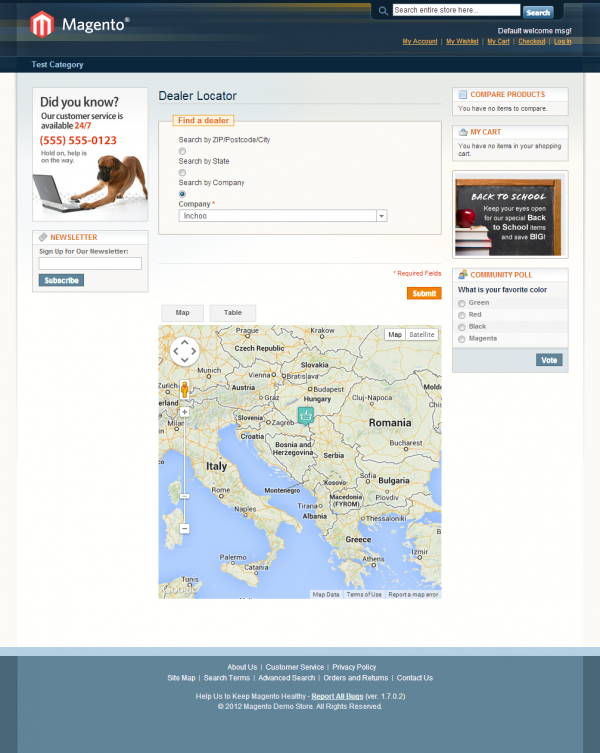
Magento Dealer Locator Extension

How to: Dealer Locator extension for Magento, which was kind of an abstract overview of how to write the Dealers extension for Magento. After the article I got several feedback’s from people requesting the actual extension. Since I was very limited with time back then I kind of just ignored these requests. Lately however, I was able to spare some time to re-engage with articles on Inchoo.net. Since most of my articles are full blown extension, why make this one an exception :)
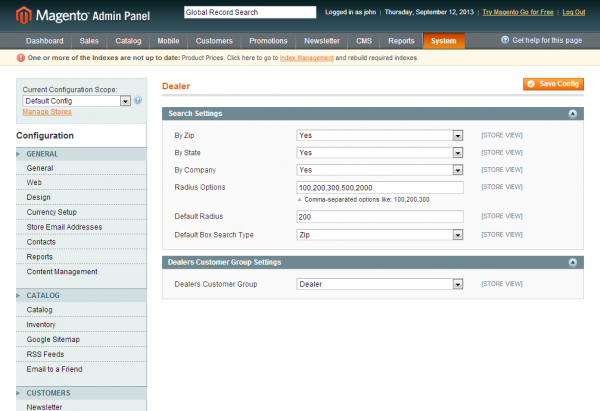
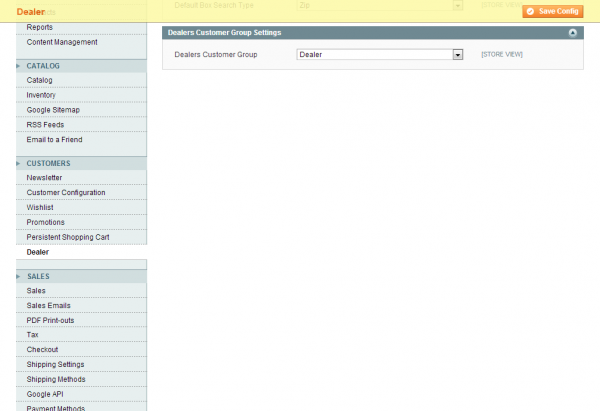
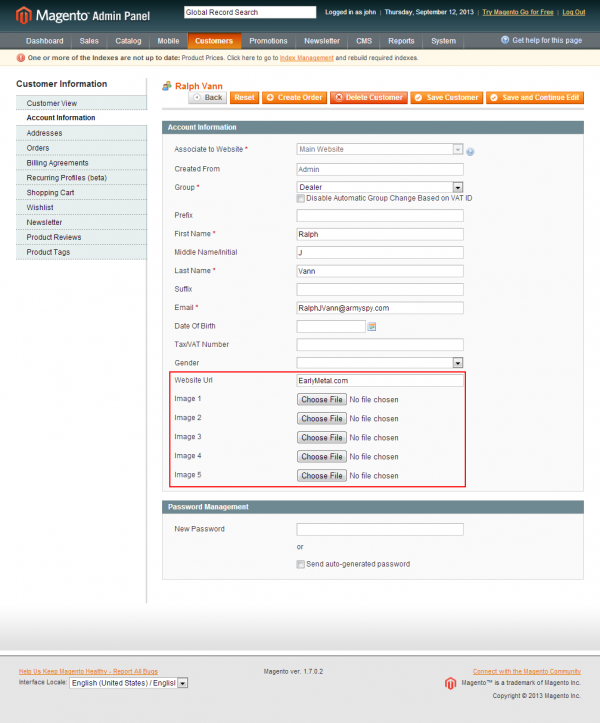
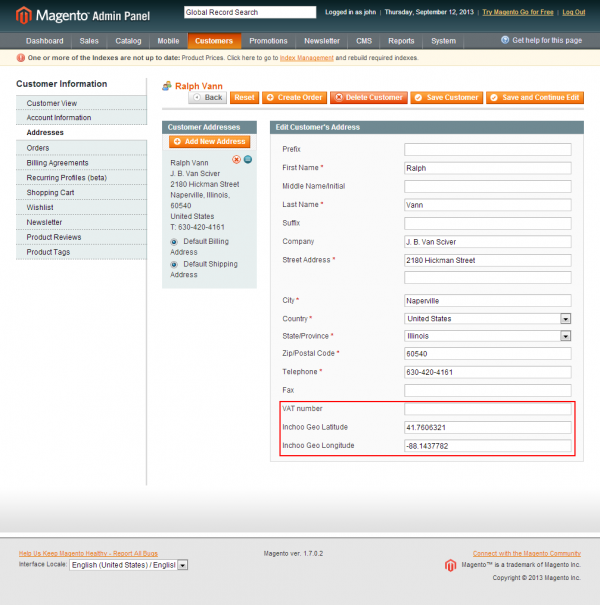
Below are several screen shots of the extension functionality, both from administration and front-end area.


 You can download the extension here.

Saturday, July 14, 2012

Create magento module

Create a new module in magnto or want to create a new page in Magento. If yes, Then ok, just spend 10 minutes and follow below steps.


Target: Create a new module called “HelloWorld”
Step 1: Module Declaration
Create app/etc/modules/M4U_HelloWorld.xml and write below code

<?xml version="1.0"?>
<config>
         <modules>
                <M4U_HelloWorld>
                        <active>true</active>
                        <codePool>local</codePool>
                </M4U_HelloWorld>
         </modules>
</config>
 
 
Step 2: Module Configuration
a. Create a controller class app/code/local/M4U/HelloWorld/controllers/IndexController.php
class M4U_HelloWorld_IndexController extends Mage_Core_Controller_Front_Action
{
    public function indexAction()
    {
     $this->loadLayout(array('default'));
     $this->renderLayout();
    }
}
 
b. Create a Block class app/code/local/M4U/HelloWorld/Block/HelloWorld.php
 
class M4U_HelloWorld_Block_HelloWorld extends Mage_Core_Block_Template
{
  // necessary methods
}
 
 
c. create configuration xml in app/code/local/M4U/HelloWorld/etc/config.xml
 
<?xml version="1.0"?>
<config>
 <global>
  <modules>
                <m4u_helloworld>
                        <version>0.1.0</version>
                </m4u_helloworld>
        </modules>
 <blocks>
            <helloworld>
                <rewrite>
   <helloworld>M4U_HelloWorld_Block_HelloWorld</helloworld>
  </rewrite>
            </helloworld>
  </blocks>

        </global>
    <frontend>
                <routers>
                        <helloworld>
                                <use>standard</use>
                                <args>
                                      <module>M4U_HelloWorld</module>
                                      <frontName>helloworld</frontName>
                                </args>
                        </helloworld>
                </routers>
  <layout>
   <updates>
    <helloworld>
             <file>helloworld.xml</file>
    </helloworld>
   </updates>
         </layout>
        </frontend>
</config>
 
 
Define Frontend Template :
1. Define page layout in app/design/frontend/M4U/default/layout/helloworld.xml
N.B: Use default instead of M4U as template location if you use default design packages. Means create file inapp/design/frontend/default/default/layout/helloworld.xml
<?xml version="1.0"?>

 <layout version="0.1.0">

  <helloworld_index_index>
   <reference name="root">
    <action method="setTemplate"><template>page/1column.phtml</template></action>
          </reference>
   <reference name="content">
             <block type="helloworld/helloworld" name="hello" template="helloworld/helloworld.phtml"/>
         </reference>
  </helloworld_index_index>

 </layout>
 
 
2. Create template file app/design/frontend/M4U/default/template/helloworld/helloworld.phtml and write down
N.B: Use default instead of M4U as template location if you use default design packages. Means create file in app/design/frontend/default/default/template/helloworld/helloworld.phtml
Hello World ! I am a Magento Guy..
Hey, new module is ready to run and hit browser with url http://127.0.0.1/projectname/index.php/helloworld/


Monday, October 17, 2011

How To - Display products on home page

There are numerous ways to put products on your home page, and we’ll compile a list of code snippets you can use on your own store here. Some examples are outdated, they don’t work in magento 1.4.1 but solutions are provided at the bottom.

New products

Go to “CMS - Manage Pages” and select “Home Page” from the list of pages.
Use this code snippet to show products labeled as “new” on your front page:
  1. {{block type="catalog/product_new" name="home.catalog.product.new" alias="product_homepage" template="catalog/product/new.phtml"}}
(Note that you must have some new products in your catalogue for anything to show when you do this. In this context new doesn’t mean that you’ve recently added them; only products explicitly marked as new using ‘Set Product as New from Date’ and ‘Set Product as New to Date’ options in the ‘General’ product information page in the admin tool will be shown.)

All Products

Go to “CMS - Manage Pages” and select “Home Page” from the list of pages.
Use this code snippet to show all products in your catalog on your front page:
  1. {{block type="catalog/product_list" name="home.catalog.product.list" alias="products_homepage" template="catalog/product/list.phtml"}}

All Products from one Category

Go to “CMS - Manage Pages” and select “Home Page” from the list of pages.
Use this code snippet to show one category on your front page:
  1. {{block type="catalog/product_list" name="home.catalog.product.list" alias="products_homepage" category_id="4" template="catalog/product/list.phtml"}}
The category ID can be found when you go to “manage category” and then select the category you want. The ID is written in the header.
Examples are outdated, dosent work in magento 1.4.1

Layout Update XML for magento 1.4

Because in 1.4 version Layout update is different than in 1.3 version, you can use this example:
  1. <reference name="content">
  2.     <block type="catalog/product_list" name="featured" template="catalog/product/list.phtml">
  3.         <action method="setCategoryId"><category_id>[category id here]</category_id></action>
  4.     </block>
  5. </reference>
Note: source taken from BrightEyesDavid’s post
It’s possible to add the ‘Root category’ ID here to show all products (Is Anchor Yes required!)

New products - Layout Update XML for magento 1.4

To display new product / latest product, you can use this following XML code in layout xml file or layout display in backend. You can use also the widgets to display the products. The code below has been inspired by the widget.
diglin
  1. <reference name="content">
  2.     <block type="catalog/product_new" template="catalog/product/new.phtml">
  3.         <action method="setProductsCount"><count>5</count></action>
  4.         <action method="addColumnCountLayoutDepend"><layout>empty</layout><count>6</count></action>
  5.         <action method="addColumnCountLayoutDepend"><layout>one_column</layout><count>5</count></action>
  6.         <action method="addColumnCountLayoutDepend"><layout>two_columns_left</layout><count>4</count></action>
  7.         <action method="addColumnCountLayoutDepend"><layout>two_columns_right</layout><count>4</count></action>
  8.         <action method="addColumnCountLayoutDepend"><layout>three_columns</layout><count>3</count></action>
  9.     </block>
  10. </reference>

New products with pagination - Layout Update XML for Magento 1.4.1

By default the Magento New.php and New.phtml block and template do not provide a way for you to display new products with pagination. The pagination and toolbar elements of Magento belong to the Mage_Catalog_Block_Product_List class. It is possible for one to overwrite the New.php file that Magento provides so that it extends the


For more detail or step by step detail click here

Display categories on home page in Magento

The code below does a couple of things, first it will get all the store’s categories - it then checks to see if they are active before continuing.

<?php
$cats = Mage::getModel('catalog/category')->load(2)->getChildren();
$catIds = explode(',',$cats);
?>
<ul>
<?php foreach($catIds as $catId): ?>
<li>
    <?php
        $category =  Mage::getModel('catalog/category')->load($catId);
        echo '<a href="'.$category->getURL().'">'.$category->getName().'</a>';
               
        $subCats = Mage::getModel('catalog/category')->load($category->getId())->getChildren();
        $subCatIds = explode(',',$subCats);
        ?>
        <?php if(count($subCatIds)>1):?>
        <ul>
        <?php foreach($subCatIds as $subCat) :?>
        <li>
        <?php
        $subCategory = Mage::getModel('catalog/category')->load($subCat);
        //echo $subCategory->getName();
        if($subCategory->getIsActive())
        {
            echo '<a href="'.$subCategory->getURL().'">'.$subCategory->getName().'</a>';
        }

        ?>
        </li>
        <?php endforeach;?>
        </ul>
        <?php endif;?>
        </li>
        <?php endforeach; ?>